


Volume Booster - Sound Speaker
4.9795.00 Reviews
App Specs
- Version
- 3.2.8
- Updated On
- License
- Free
- Downloads
- 5,000,000+
- Developer
- iMediaStar
- Categories
- Music & Audio
- Platform
- Android
Screenshots
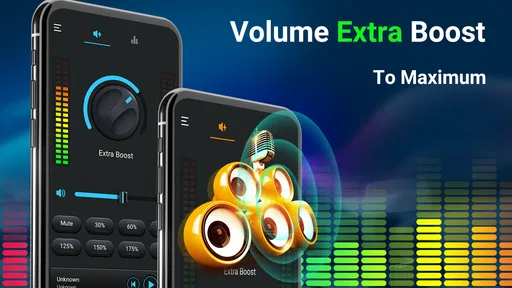
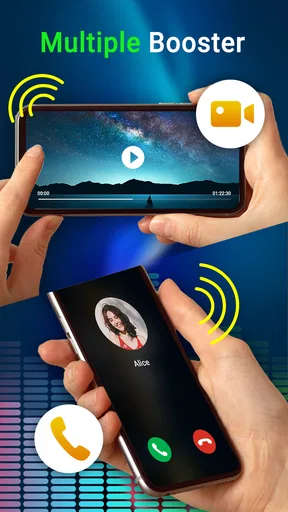
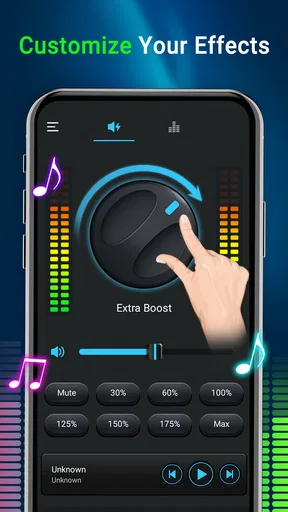
 Analysis by AppCompare
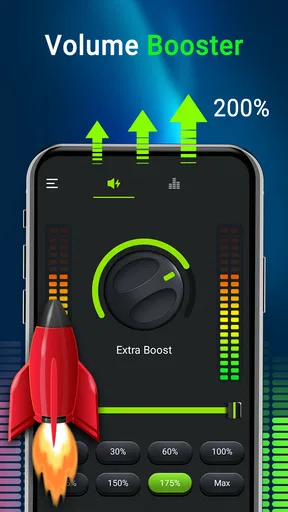
I noticed Volume Booster - Sound Speaker because it takes a very direct approach to a common phone problem: media that feels too quiet even when the system volume is already near its limit. Developed by iMediaStar, this free Music & Audio app is designed to raise the volume of media playing on the phone rather than replace a music service or act as a full audio editor. After using it in ordinary situations, I found it most useful as a quick adjustment tool, especially when switching between different videos, songs, and spoken audio.
The app is available to Everyone and runs on Android 6.0 or later. Its current version is 3.2.8, and its popularity is easy to understand: it has passed 5 million installs and holds a 4.9 average from around 56 thousand ratings. Those figures suggest that many people want a simple volume control instead of a complicated sound suite. My experience was broadly positive, but the important detail is knowing when extra loudness helps and when it simply makes poor audio more uncomfortable.
How the volume boost fits into connected listening
This is not an app for discovering songs, downloading podcasts, or managing a personal library. It sits alongside the media you already use. That distinction matters because the quality of the result depends partly on the source: a clear video, stream, voice recording, or song can become easier to hear, while distorted or badly recorded material may only become louder and more tiring.
In a typical connected moment, I might open a streaming service, start a video, and then adjust the booster when the phone speaker sounds too restrained. The app is useful in that gap between “the content is playing” and “the phone is loud enough.” I do not have to search through several sound menus every time I move from a quiet interview to a louder music track. That quick workflow is the strongest reason to keep it installed.
Connectivity shapes the experience indirectly. The app does not give me a reason to browse online by itself; instead, it becomes useful when another app is receiving or playing media. If a stream pauses because the network is weak, increasing the volume obviously cannot repair the interruption. I found it helpful to separate those two problems: first check whether the audio is actually playing, then use the booster if the playback is too quiet.
That sounds obvious, but it prevents a common mistake. When a video buffers, cuts out, or drops in quality, turning the sound up can make the next sudden burst unpleasantly loud. I prefer to restore stable playback first, then make a modest adjustment. This is especially important with live content, where volume can change without warning.
What it does well during everyday playback
The main strength is simplicity. I do not expect a catalog, equalizer studio, or recording desk from this app. I expect a louder result for media already playing, and that focused purpose makes it easy to understand. It is a practical companion for videos with quiet speech, online radio that sounds softer than other sources, or music played through a small phone speaker.
Worth Reading Before You Choose

EA SPORTS FC Mobile 26 Is a Bigger Football Game, but It Takes Time

Flipboard Shows What News Apps Must Do Beyond the Feed

Switching to Android Auto Means Rethinking Your Driving Routine

Google Calendar Makes a Crowded Week Easier to Manage

Ludo King Makes the Most of the Minutes Between Plans

Baby Panda World Brings Quick Play to Modern Phones, but Its Game Library Feels Busy
A realistic example is listening to a spoken video while cooking. The phone may be on a counter a few steps away, with water running and pans making background noise. The normal system setting may be technically high but still hard to follow. A careful boost can make voices more intelligible without requiring me to hold the phone close to my face or stop what I am doing.
Another useful situation is moving between headphones and the built-in speaker. A level that feels fine through headphones may seem weak from the phone itself. Rather than changing the source or searching for a different player, I can use the booster as a quick correction. I still lower the setting when reconnecting headphones, because the same increase that helps a speaker can be excessive at the ear.
The app also makes sense for older phones whose built-in speaker feels limited. It cannot change the physical size or quality of that speaker, but it can make some media more prominent. I would describe the benefit as practical rather than magical: it may improve audibility, but it does not turn a small phone speaker into a dedicated sound system.
Where a network connection changes the routine
For online music and video, the app is only one part of a longer chain. The network brings the content to the phone, the media app decodes it, the phone applies its own audio controls, and the booster affects the final listening level. A weak connection can create pauses or quality changes that no volume tool can solve. This is why I would not judge the app by a single frustrating session during unstable streaming.
When the connection is reliable, the workflow feels straightforward. I start the content in its usual app, listen for a moment, and then adjust the volume rather than immediately pushing everything to the maximum. This gives me a reference point and reduces the chance of overcorrecting a quiet opening before the source becomes louder.
There is also a useful habit for changing networks. If I move from home Wi-Fi to mobile data while listening, the content may behave differently because the streaming service changes quality or buffers again. I treat that as a playback transition, not as a failure of the booster. Pausing briefly before adjusting the sound helps me avoid chasing temporary changes in loudness.
The app is therefore most convincing for users who already have a regular media routine. It does not replace a reliable connection, a good player, or decent headphones. It simply gives that routine another volume option. People expecting it to improve a weak signal, remove buffering, or make every stream sound studio-quality should choose a different kind of tool—or address the network and source first.
Using it on the move without losing control
Mobile use is where the app feels most relevant. Phone speakers are often used in imperfect places: a bedroom, a kitchen, a hotel room, a garage, or a quiet outdoor area. The surrounding noise changes constantly, so a fixed system volume is not always enough. A quick booster can be convenient when I need more presence for speech or background listening.
I would be more cautious in public spaces. Raising the volume on a bus, train, waiting room, or shared office can disturb other people, even if the audio sounds acceptable to me. In those settings, headphones are usually the better alternative. The app is not a substitute for privacy, and louder sound can make nearby conversations or announcements harder to notice.
Headphone use deserves special care. A phone speaker that seems too quiet is one problem; headphones that are already loud are another. I would never treat the boost as a reason to keep increasing the level until a track feels dramatic. Start low, check the result, and reduce it when switching to earbuds. This is one of the most important practical trade-offs: convenience is valuable, but hearing comfort matters more than squeezing out every possible increment.
Bluetooth speakers create another variable. The final loudness may be controlled by both the phone and the speaker, and their settings do not always behave identically. If I connect to an external speaker, I prefer to make small changes on one control at a time. Otherwise, it becomes difficult to tell whether the phone, the speaker, or the media source is responsible for a sudden jump.
The same approach helps in a car, although I would not recommend interacting with the app while driving. Set up the audio before moving, keep the level moderate, and use the vehicle’s controls when possible. A booster can be handy for quiet spoken content, but safe driving and awareness should come first.
Three practical habits that improve the experience
- Test with speech before music. Voices reveal whether the change improves clarity, while music can make a boost feel exciting even when it introduces harshness.
- Adjust after playback stabilizes. With connected media, wait for buffering or quality changes to settle before deciding that the volume is too low.
- Reset before changing output devices. Lower the level before moving from the phone speaker to headphones or a Bluetooth speaker, then raise it gradually.
These habits are not complicated, but they make the app safer and more predictable. They also expose its real limitation: the best result depends on listening discipline. A volume booster can provide extra output, but it cannot know whether I am in a quiet room, beside traffic, wearing sensitive earbuds, or about to switch to another device.
When the sound becomes too much
Extra volume is not always extra quality. If a recording already contains background hiss, clipping, or aggressive compression, making it louder can draw attention to those flaws. I noticed that spoken material benefits more consistently than dense music because the goal is often intelligibility rather than impact.
For music, I would compare the result with the phone’s normal maximum and with headphones before deciding whether the app is worthwhile. A louder track can seem better for a few seconds, especially in a noisy environment, but fatigue may appear later. If I have to keep reducing the volume because the sound is sharp, the source or output device is probably the limiting factor.
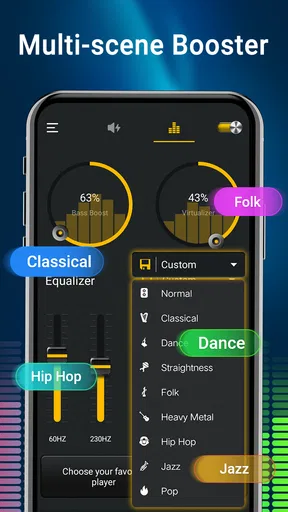
This is also why I would not recommend the app to someone looking for detailed audio shaping. A dedicated equalizer or a player with proper tone controls may be a better fit when the real issue is too much bass, weak vocals, or an unbalanced mix. Volume Booster - Sound Speaker is more focused: it addresses level, not every part of sound design.
Reliability, interruptions, and recovery
Any volume utility needs to be judged by what happens when the listening situation changes. Media apps pause, calls arrive, headphones disconnect, Bluetooth devices sleep, and streams recover from network interruptions. In those moments, I do not want to assume that the previous loudness is still appropriate.
My recovery routine is simple. After an interruption, I check whether playback has resumed, listen for a second at a reduced level, and then restore only as much boost as needed. This is especially useful when the source reconnects and suddenly resumes with a different loudness than before. It takes less time than dealing with an unexpectedly loud restart.
If the app seems ineffective, I would first verify the basics: the media is actually playing, the phone is using the intended output, and the system volume is not muted or limited elsewhere. Testing with a second type of media can also help. If speech becomes louder but one particular music app does not change, the difference may come from how that source handles audio rather than from the booster itself.
That troubleshooting order is more useful than repeatedly dragging the control upward. It identifies whether the problem is connectivity, the media app, the output device, or the volume utility. In my view, this is a key expectation to set: the app is an enhancement layer, not a universal repair tool for every audio failure.
Calls and notifications are another reason to stay cautious. A tool intended for media should not encourage me to maximize every sound on the phone. A notification or alert that suddenly plays at an elevated level can be much more startling than a song. I prefer to use the booster for a specific listening session and then return to a comfortable setting when I am finished.
What happens when the connection is poor
When an online stream is unstable, I focus on recovery rather than volume. I pause the content, let it reconnect, and then check the level from the beginning of the resumed playback. If the stream has switched to a lower-quality version, the sound may seem different even at the same volume. Boosting it can make the new artifacts more noticeable.
This distinction is particularly important for podcasts and interviews. A network interruption may cause a player to resume at a different point or repeat a short section. A louder setting can make that recovery feel more abrupt. Keeping a little headroom gives me time to confirm what is happening before settling back into listening.
For local media, the network is less central to the moment of playback, but the same output cautions remain. Whether the content arrived through a stream or was already on the phone, the booster still cannot correct a damaged file or a weak speaker. It can only work with the sound path available to the device.
Data-conscious listening and value
Because the app is used alongside media services, data consumption mostly comes from the content I choose to play, not from the basic idea of changing its volume. I would not install it expecting it to reduce streaming use. If I am on mobile data, I manage that separately by choosing sensible playback quality in the media service, using Wi-Fi where appropriate, or avoiding long high-quality streams when data is limited.
This separation is useful: the booster can make a quiet stream easier to hear, but it does not make the stream smaller, faster, or cheaper to receive. A stronger volume setting should never be confused with better network efficiency. If a video is consuming too much data, the right solution is found in the video app’s playback settings, not here.
The app itself is free to use, with optional in-app purchases ranging from $1.99 to $9.99 per item. That makes it easy to try before deciding whether the extra controls or experience justify spending anything. I would begin with ordinary use rather than paying immediately, because the practical benefit depends heavily on the phone, the media sources, and the listener’s tolerance for louder output.
Its age rating of Everyone also makes the interface approachable for a broad audience, but that should not be mistaken for a reason to ignore volume safety. A simple app can still be used carelessly, particularly by someone moving between speakers and headphones. The responsible choice is to treat the control as an adjustment, not a challenge to reach the highest possible level.
Compared with the usual alternatives, the app occupies a middle ground. The phone’s built-in volume control is faster and requires nothing extra, but it may not provide enough flexibility for quiet media. A media player with an equalizer can offer more detailed sound shaping, but it takes more setup and may only affect playback inside that player. A physical Bluetooth speaker can deliver a bigger improvement in room-filling sound, although it adds equipment and another connection to manage.
I would choose this app over those alternatives when the problem is occasional low media volume and I want a quick software-based option. I would choose headphones for privacy, a proper speaker for a room, and an equalizer when tonal balance matters more than raw loudness. That is the clearest way to understand its place: useful as a targeted helper, not the best answer to every audio need.
Who should use it and who should skip it
I think it suits people who watch videos on a phone, listen to spoken content in moderately noisy rooms, or regularly find that different media sources play at noticeably different levels. It is also a reasonable option for someone using an older Android phone and wanting a simple experiment before buying external audio hardware.
I would skip it if the main goal is professional mixing, precise equalization, recording, noise removal, or stronger bass control. I would also skip it if the real complaint is unstable streaming, because network reliability must be handled elsewhere. Users who already have comfortable headphones or a good Bluetooth speaker may gain little from another volume layer.
The Android requirement is broad enough for devices running version 6.0 or newer, so compatibility is not limited to recent phones. Still, the actual experience can vary with the device’s speaker, audio processing, connected accessories, and the media app in use. I would test it with the exact setup I plan to use rather than assuming that a result on one phone will be identical on another.
My connectivity verdict
Volume Booster - Sound Speaker works best when I view it as a small, practical control for connected media rather than as a complete sound solution. It cannot repair buffering, improve a weak mobile signal, or transform a limited speaker into a premium audio system. What it can do is give quiet playback more presence, particularly for speech and casual listening, while keeping the adjustment separate from the streaming service itself.
The most convincing use case is a normal mobile moment: a video is playing, the connection is stable, the phone speaker is not quite loud enough, and I need a quick change without digging through settings. In that situation, the app earns its place. The less convincing cases involve headphones at high volume, unstable streams, damaged recordings, or expectations of studio-quality sound.
With a 4.9 average and more than 5 million installs, it has clearly found an audience, and I can see why. The free entry point makes trying it straightforward, while the optional purchases leave room for users who want to continue with it. My recommendation is measured rather than absolute: try it if your everyday frustration is low media volume, begin conservatively, and lower the setting whenever the output device or listening environment changes.
The best result comes from treating louder sound as a careful adjustment, not a replacement for a stable connection or better hardware. For that specific job, this app is convenient and easy to justify. For everything beyond that job, the usual alternatives—headphones, a dedicated speaker, a capable media player, or better network conditions—are likely to matter more.
Pros
- Quickly increases perceived loudness for music
- videos
- and calls.
- Simple controls make the app easy to use for beginners.
- Useful when a device’s built-in volume feels too quiet.
- Can improve audio clarity on some low-volume speakers.
- Lightweight design should have minimal impact on device storage.
Cons
- Excessive amplification may cause distortion or crackling.
- High volume levels can damage speakers or connected headphones.
- Results vary depending on the phone model and audio source.
- May not boost every app because of system audio restrictions.
- Some features may require ads or in-app purchases.
FAQs for Volume Booster - Sound Speaker
What is Volume Booster - Sound Speaker, and how does it work?
Volume Booster - Sound Speaker is an audio utility designed to make music, videos, games, podcasts, and other media sound louder than the device’s standard volume level. After opening the app, you typically adjust an amplification slider and enable the booster while media is playing. The actual result depends on your phone, speakers, headphones, operating system, and the quality of the original audio.
Can Volume Booster - Sound Speaker make every sound on my phone louder?
Not necessarily. The app is mainly intended for media playback, so its effect may be more noticeable in music, video, streaming services, or games than in calls, alarms, notifications, or system sounds. Some Android and iOS devices restrict how third-party applications control audio. If the booster does not affect a particular app, restarting playback or checking the device’s own sound settings may help.
Is it safe to use Volume Booster - Sound Speaker at maximum amplification?
Using strong amplification for extended periods is not recommended. Excessive volume can produce distortion, make the speaker sound harsh, and potentially damage the phone’s speaker or connected headphones. It may also pose a risk to your hearing, especially when using earbuds. It is best to increase the level gradually, keep listening sessions moderate, and reduce the volume immediately if you notice discomfort or distorted audio.
Does Volume Booster - Sound Speaker work with headphones, Bluetooth speakers, and wireless earbuds?
Compatibility can vary depending on the device and connection type. The booster may work with wired headphones, Bluetooth speakers, or wireless earbuds when the audio is played through the phone, but some accessories manage their own volume limits and may not become significantly louder. Bluetooth codecs, manufacturer settings, and separate media-volume controls can also affect the final result, so performance may differ between accessories.
Are there any disadvantages or limitations I should know before downloading it?
The main limitations are that louder output is not always clearer output, and aggressive amplification can cause clipping, distortion, battery consumption, or unwanted background noise. Some versions may include advertisements, optional purchases, or permission requests that users should review before continuing. Results can also differ across phones and operating-system versions. Check the app’s current store listing, privacy details, and supported features before installing.


